310-370-5990sales@sharp-industries.com
Sharp Industries
0
Sharp Industries · Machine RFQ System · Demo

Your machine sales sheets, live on the web — priced straight from SAP.

This demo takes one of Sharp's Word sales documents (the LMV-49-SMD) and turns it into an interactive machine page with a live configurator, a branded PDF sales sheet, and a Request-for-Quote flow that lands in Salesforce as an Opportunity.
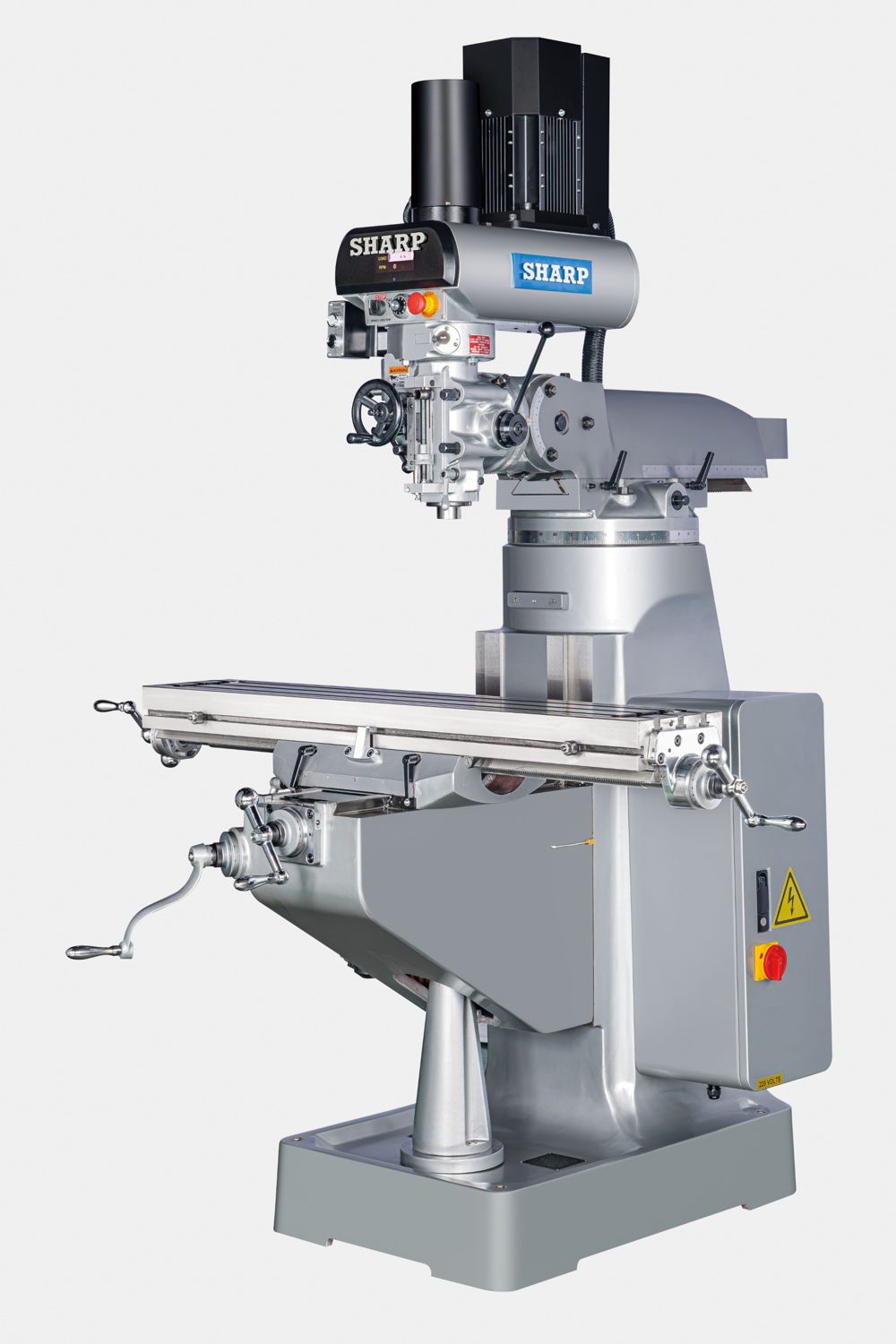
LMV-49-SMD
LMV-49-SMD Turret Mill
Built from “LMV-49-SMD 2026.doc”
$16,950.00
List · F.O.B. Gardena, CA
Walk-through

The demo in six steps

Click through in order, or jump to any step. Everything you enter is saved in this browser so you can go back and forth.

1

Machine page & configurator

The full Word document as a web page: standard equipment, specs, options with live pricing, terms and warranty. Answer the required questions, watch the total update, and download the branded PDF sales sheet.

Open the LMV-49-SMD page
2

Add to RFQ & the RFQ drawer

“Add to RFQ” drops the configured machine into an RFQ list that lives separately from the parts cart. The drawer slides out from the right, and you can edit, remove, or add more machines.

Open the RFQ drawer
3

Review & submit

A condensed overview of every configured machine, followed by the clarifying questions — shipping address, receiving capability, delivery window, notes for the rep.

Review & submit page
4

Submitted successfully

Confirmation with the RFQ number and what happens next — including the Salesforce Opportunity that was created for the sales rep.

Success screen
5

Account dashboard — RFQ list

Customers see every RFQ they've submitted with status (Submitted, Under Review, Quoted, Closed — Won, Expired), searchable and filterable.

RFQ submissions list
6

Complete RFQ overview

Every line item and option that was submitted, shipping details, notes, the Salesforce sync record, and an activity timeline. One click re-loads the configuration onto the machine page.

RFQ detail page
Why

What this replaces

Today 40–50 Word documents

  • One .doc per machine, e-mailed to prospects one at a time
  • Pricing is typed by hand — every price change means opening and editing every document
  • No record of who received which configuration, or what they picked
  • Nothing flows into Salesforce until a rep re-keys it
  • Formatting drifts from document to document

This system One page per machine, priced by SAP

  • Machine pages on the Sharp ecommerce site, styled once and consistently
  • List price, options and accessories come from SAP Business One via the same sync the store already uses — change it in SAP, it changes on the page and in the PDF
  • Reps send a link (with a pre-built configuration if they like); customers configure, download the PDF, and submit an RFQ
  • Each RFQ is stored in the customer's account and pushed to Salesforce as an Opportunity automatically
  • One-time build — no per-seat, per-year platform fee to keep it running
Production architecture

How it connects

The demo is static HTML. In production the same experience is built in WordPress / WooCommerce with Gravity Forms.

SAP Business OneItem master, price lists, option SKUs, stock
Service Layer sync
WooCommerceProducts & prices land in WP; machine pages read them
Gravity Forms
Machine Page + RFQConfigurator, PDF sales sheet, RFQ list, account dashboard
Webhook / GF Salesforce add-on
SalesforceOpportunity created per RFQ · rep works it from there · status flows back to the customer's dashboard

Prices shown in the demo are taken directly from the July 2026 LMV-49-SMD price sheet. Sample account, RFQ history and Salesforce IDs are fictional.

Since 1985Trusted machine tool expertise
F.O.B. Gardena, CAMachines in stock & ready to ship
Applications SupportTalk to a real machine specialist
1-Year Limited WarrantyBacked by Sharp Industries